What Is an Amazon Passkey? Full Guide to Amazon Passkeys, PIN, and Prime Video Login
Online accounts are getting harder to protect, and traditional passwords aren’t enough anymore. They’re easy to forget, easy to reuse, and unfortunately easy for hackers to steal. This is why many companies, including Amazon, are shifting toward a safer and more convenient login method: passkeys. If you’ve seen the new login option and wondered what is an Amazon passkey, or why people are talking about passkey Amazon features, this guide breaks everything down in a clear, accessible way.
Amazon now supports passkeys across most of its login experiences, including regular Amazon accounts and even Prime Video. Instead of typing long passwords or waiting for verification codes, you can log in instantly using your phone’s biometrics—fingerprint, Face ID, or a device-level PIN. It’s faster, safer, and far more secure than traditional passwords.
Below is everything you need to know about amazon passkeys, how they work, how to set them up, and how they change the way you sign in.
What Exactly Is a Passkey?
Understanding Passkeys in Simple Terms
A passkey is a modern authentication method that replaces passwords with secure cryptographic keys stored on your device. Instead of typing something you know, you log in using something you are—such as your fingerprint or face scan. The key never leaves your device, which makes it extremely difficult for hackers to access.
Passkeys work across major platforms, including iOS, Android, Windows, and macOS, and they synchronize through secure systems like iCloud Keychain or Google Password Manager. This makes logging into websites and apps seamless.
Why Companies Are Switching to Passkeys
Tech companies want to eliminate passwords because they cause problems—weak combinations, repeated passwords, phishing, and hacking attempts. Passkeys solve these issues with built-in encryption, meaning even Amazon doesn’t see or store your authentication key.
What Is an Amazon Passkey?
How Amazon Implements Passkey Technology
When people ask what is an Amazon passkey, they’re referring to Amazon’s version of this password-free login method. It lets you sign in using the biometric authentication already built into your device. That means your fingerprint, your phone’s face unlock system, or your secure device PIN becomes your way of accessing your Amazon account.
Amazon stores none of your biometric information. Instead, your device confirms your identity locally and safely logs you in through secure cryptography.
Why Amazon Is Adopting Passkeys
Amazon handles millions of accounts, and protecting customers from fraud is a top priority. Password leaks, phishing scams, and stolen credentials are common online threats. With amazon passkeys, even if a hacker learns your email, they can’t break into your account without physically having your device.
It’s a huge step toward passwordless security—and it’s optional, meaning users can activate it when ready.
How Amazon Passkeys Work
Logging In Without a Password
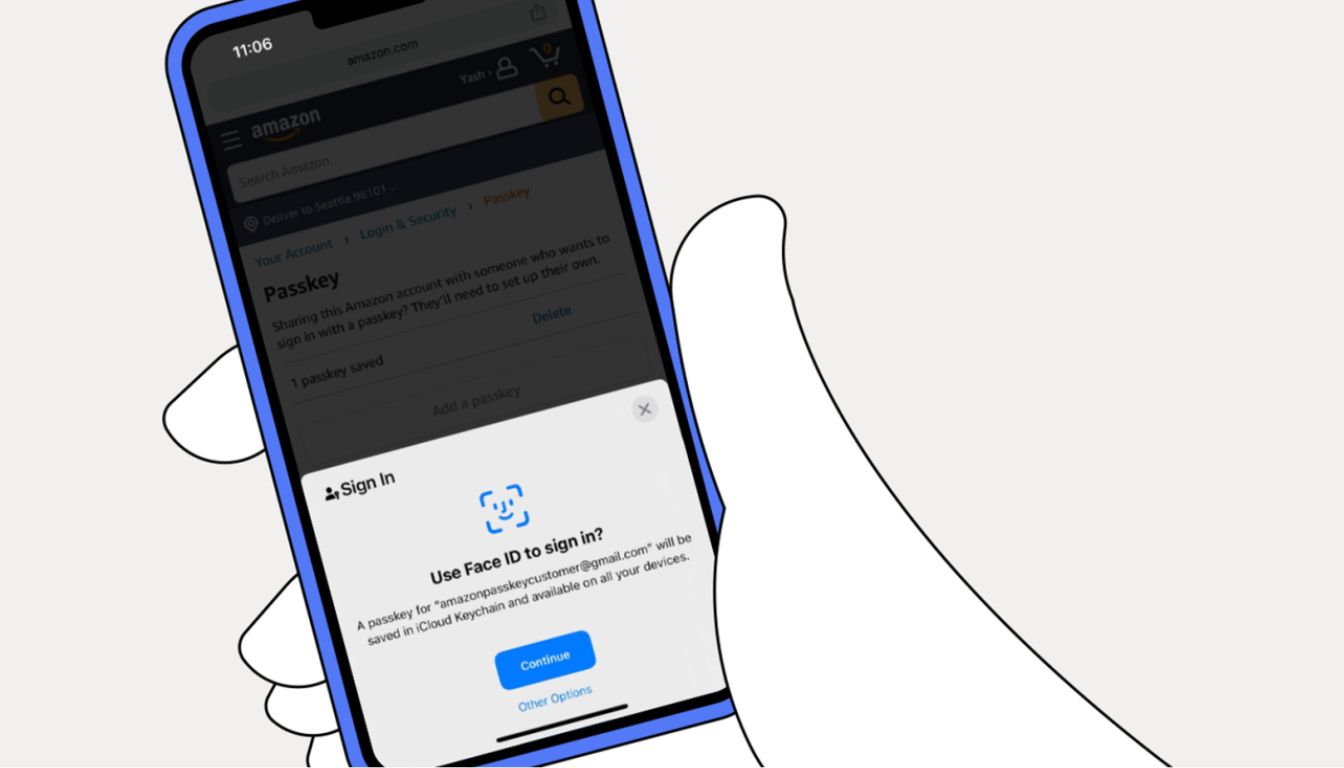
Once you set up a passkey, logging in becomes incredibly simple. When you open Amazon on your phone or desktop, you choose “Use a passkey” instead of entering your password. Your device then asks for biometric confirmation.
If you’re on mobile:
-
Tap “Use Passkey”
-
Confirm with Face ID, fingerprint, or your device PIN
-
Login completes instantly
If you’re on desktop:
-
Your computer may ask to connect with your phone to confirm login
-
Or your browser may use the passkey stored in your password manager
The entire process takes seconds.
Where Passkeys Work Inside Amazon
Passkeys work on:
-
Amazon.com
-
Amazon mobile apps
-
Prime Video
-
Certain Amazon business platforms
This is why many users also search what is passkey on amazon when setting up Prime Video. The login system is the same across platforms.
Benefits of Using a Passkey Amazon Login
Stronger Security
Passkeys are much harder to steal or crack than passwords. Even if someone knows your email and tries to reset your account, the passkey authentication blocks unauthorized access.
Convenience
No more typing passwords, especially long and complicated ones. You simply tap and authenticate with your device.
Phishing Protection
Phishing relies on tricking you into typing your password somewhere unsafe. With passkeys, there’s no password to steal.
Fast Prime Video Login
One of the most annoying things about Prime Video is constantly entering login codes or typing your password on smart TVs. With Amazon passkeys, logging in to Prime Video becomes almost instant once your device supports it.
Setting Up Your Amazon Passkey
Where to Find the Passkey Setting
You can enable passkeys inside your Amazon account settings:
-
Go to Your Account
-
Open Login & Security
-
Select Set Up a Passkey
-
Follow your device’s biometric prompts
Within seconds, your passkey is linked to your Amazon account.
Can You Have Multiple Passkeys?
Yes. You can add:
-
Passkey on your iPhone
-
Passkey on your Android
-
Passkey on your laptop
-
Passkey in your browser password manager
This gives you flexible login options across all your devices.
Prime Video and Amazon Passkeys
Why Passkeys Matter for Streaming
Prime Video often logs users out of their smart TVs. Typing a long Amazon password on a TV remote is frustrating. When someone searches what is the amazon passkey, they often want to know if it fixes this issue.
Passkeys make signing in much easier:
-
Scan a QR code
-
Approve login on your phone with biometrics
-
You’re in instantly
No more typing or complicated verification codes.
Compatibility With Streaming Devices
Currently, passkey support is rolling out gradually. Newer TVs, Fire TV devices, streaming sticks, and updated Prime Video apps support it more widely. As updates continue, Amazon expects passkeys to replace passwords completely.
Are Amazon Passkeys Safe?
Security Features Behind the Scenes
Passkeys are built on WebAuthn and FIDO2 standards. These are industry-leading security protocols that protect banking, government systems, and major tech platforms. Your biometric data never leaves your device—Amazon never receives it.
This means:
-
No one can fake your fingerprint
-
No company stores your face scan
-
No hacker can guess your passkey
What Happens if You Lose Your Device?
If your phone is lost, you still won’t lose your Amazon account. Simply:
-
Remove that device’s passkey from your Amazon account
-
Add a new passkey from another device
Because passkeys sync securely through iCloud, Google Password Manager, or Windows Hello, setting up a new device is quick.
Who Should Use Amazon Passkeys?
Casual Shoppers
If you use Amazon once a week, a passkey makes logging in much smoother.
Prime Video Users
Passkeys eliminate the frustration of logging in on TVs or streaming devices.
People Concerned With Security
Anyone who wants extra protection against phishing, hacking, or password leaks should enable passkeys.
Frequent Travelers
Logging in from hotels, airports, or shared Wi-Fi becomes safer because there’s no password to steal.
Future of Amazon Passkeys
Passwordless Login Is Becoming the Standard
Tech giants like Google, Microsoft, Apple, PayPal, and now Amazon are pushing toward a password-free internet. Amazon passkeys are part of this global shift. Over the next few years, passwords may become optional or even obsolete.
More Features Will Be Built Around Passkeys
As the system matures, Amazon plans to expand it into:
-
One-tap checkout
-
Smarter authentication for Prime Video
-
Business account security
-
More streamlined mobile logins
Passkeys are just the beginning.
Final Thoughts
Amazon is evolving quickly, and passkeys represent one of the biggest changes to how customers log in. If you’ve been wondering what is an Amazon passkey or trying to understand the growing trend behind amazon passkeys, the answer is simple: it’s a safer, faster, and smarter way to access your account. Instead of remembering passwords or typing endless verification codes, you authenticate with your device’s biometric security.
Whether you’re curious about what is passkey on Amazon, trying to log in to Prime Video more easily, or simply upgrading your account security, enabling a passkey is one of the best decisions you can make. The future of online login is passwordless—and Amazon is already leading the way.